WarRoom WatchtowerEvery coin in range. Every level on watch.
The Watchtower stands guard over your watchlist. Every coin is placed by how close it is to the next level that matters: a wall, a gap, a band edge, your alert, your stop. See who is closing in at a glance, then set the alert straight from the level, or plan the trade on its chart.
01 · Strips
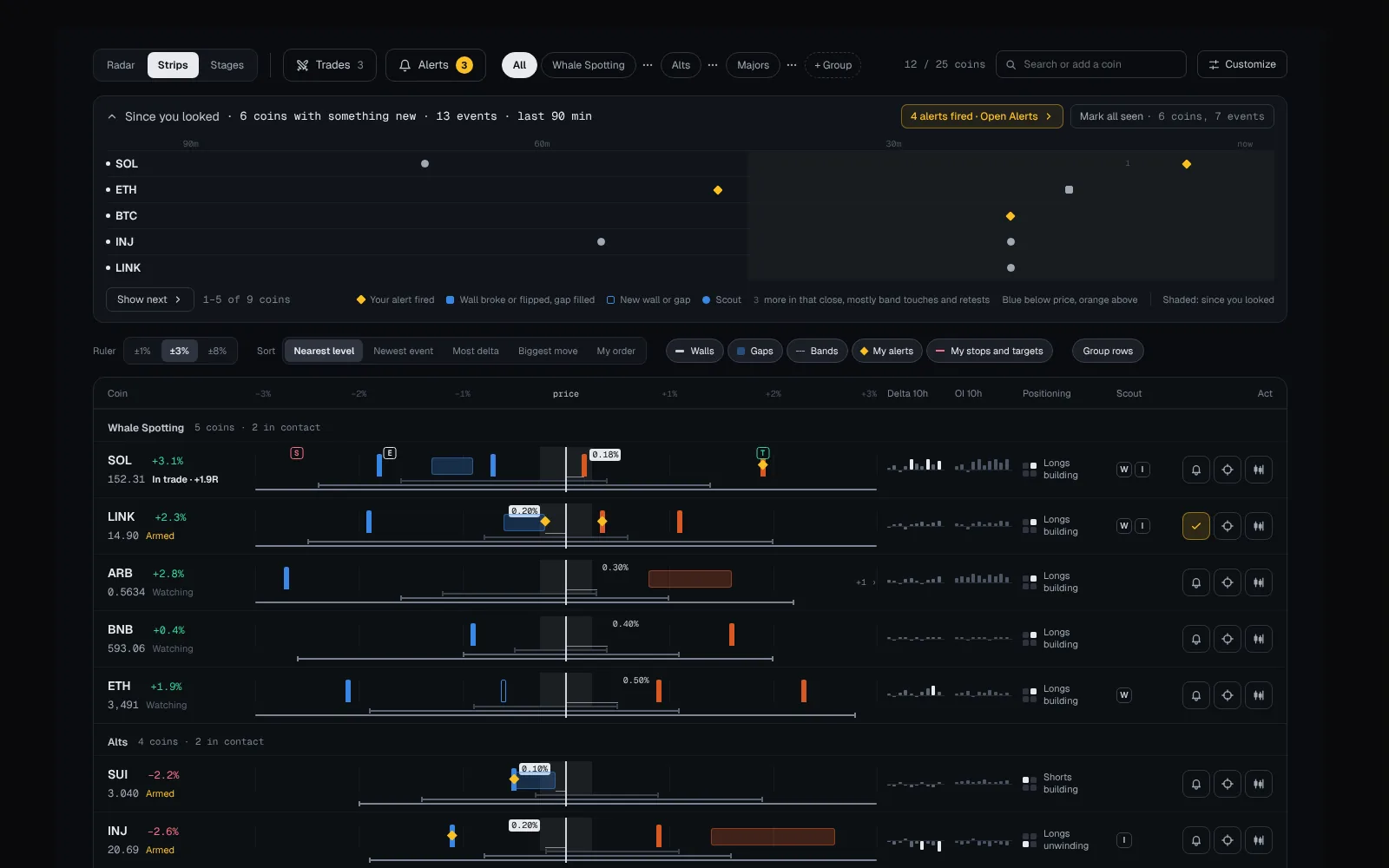
Every coin on one ruler.
Each row is a ruler centred on price, and every row uses the same scale. Walls, gaps, band edges, your alerts and your trade lines sit where they are, so whatever is near the middle is close to happening.
02 · Radar
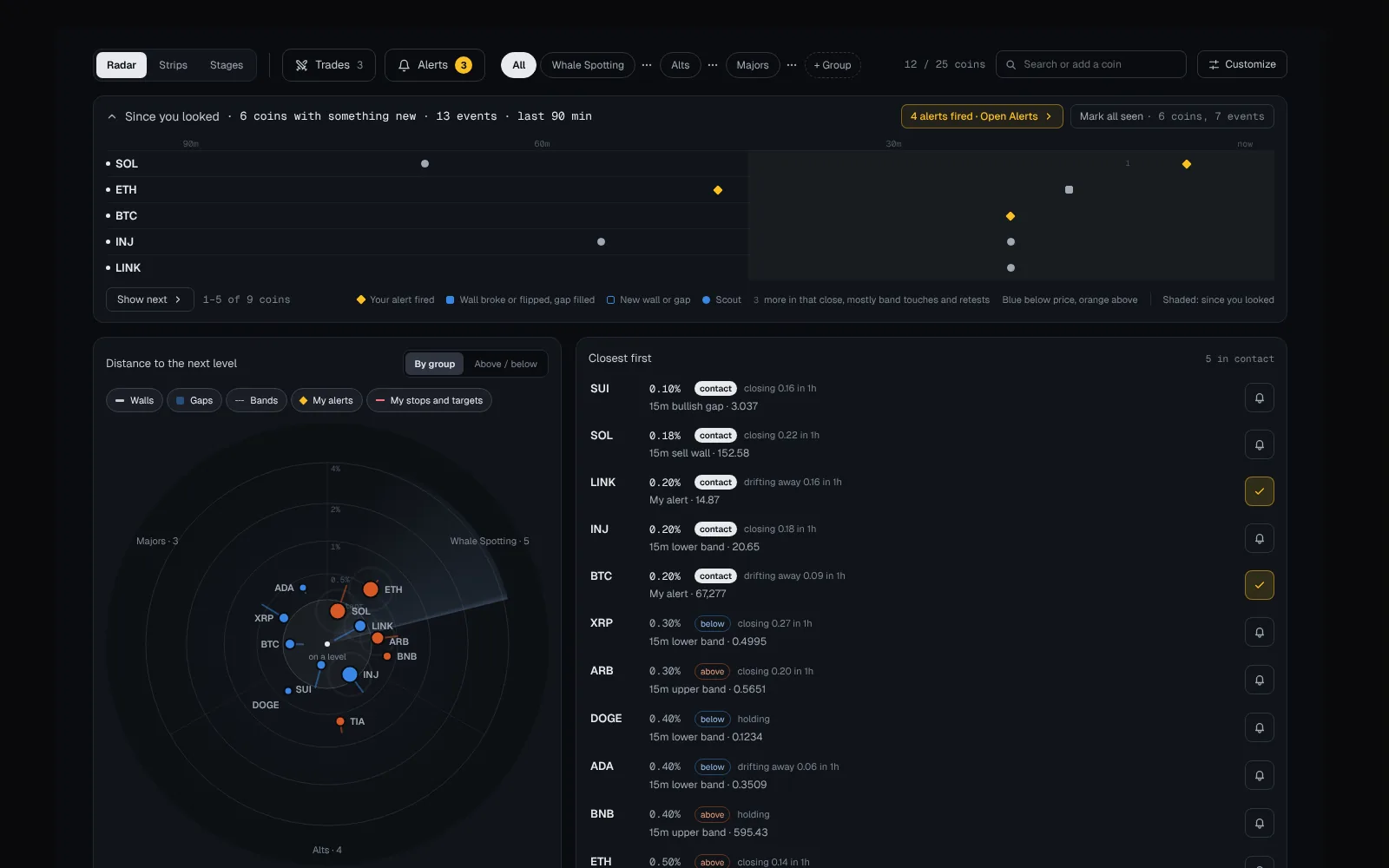
Who is about to reach a level.
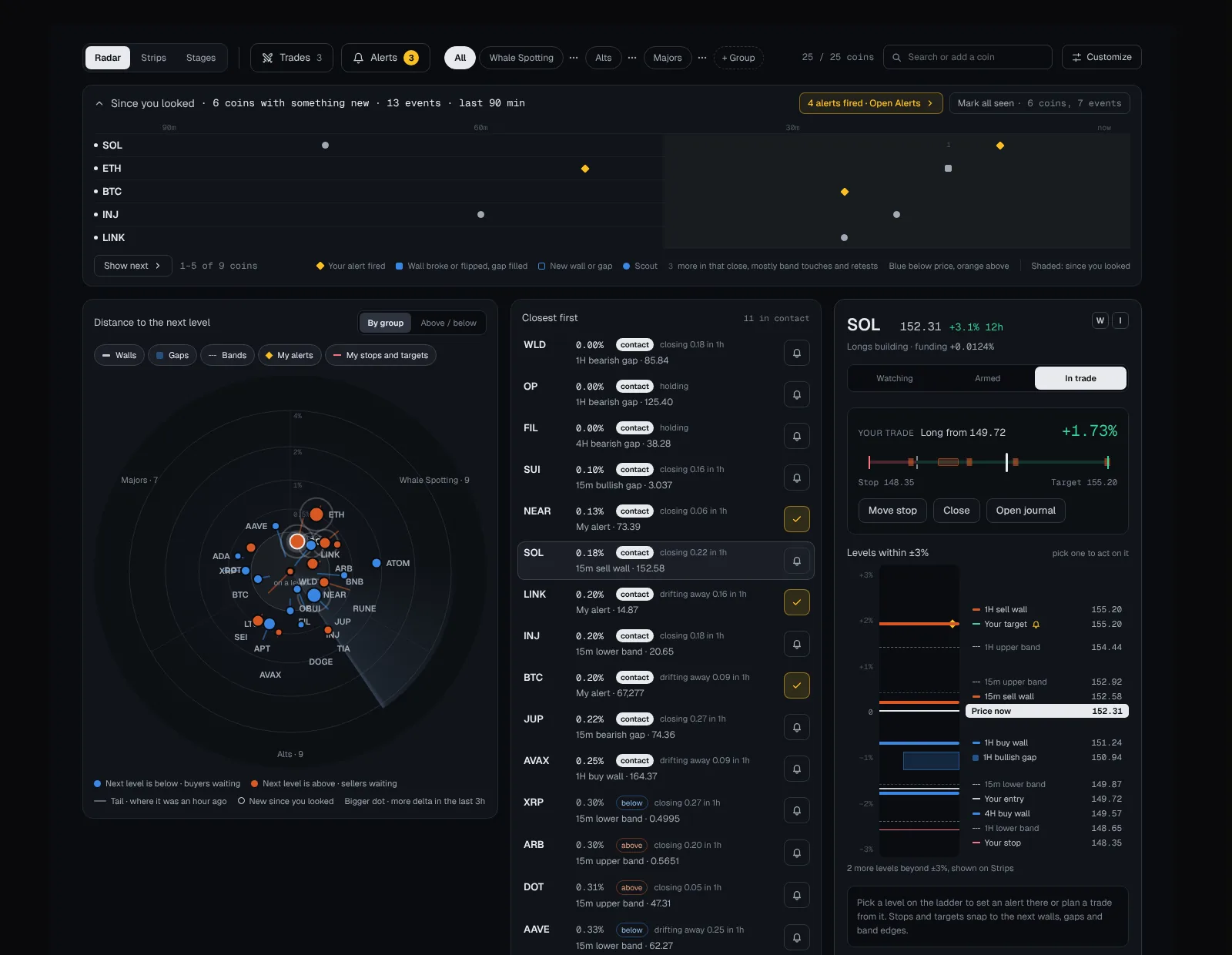
The closer to the centre, the closer to a level. Tails show where each coin was an hour ago, and a pulse marks something new since you last looked. Pick a coin to open its panel and act on any level.
03 · Stages
Manage the list by moving cards.
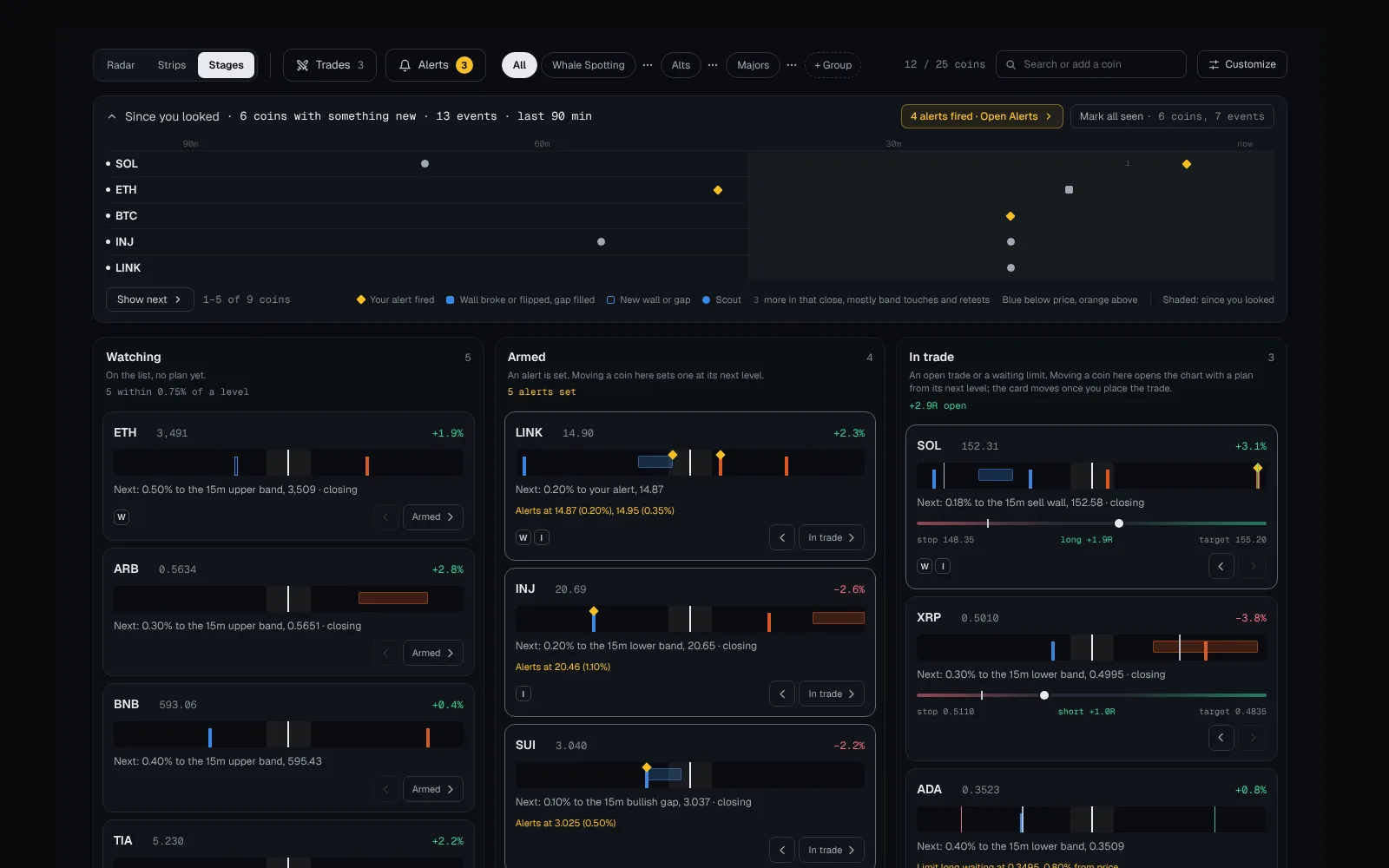
Watching, Armed, In trade. Moving a card to Armed sets the alert; moving it to In trade opens the chart to place the trade, and the card moves once you do. Close the trade in Trades and its card goes back by itself.
The full briefing
WarRoom Watchtower: A Crypto Watchlist Measured by the Next Level
The Watchtower is your watchlist, measured. Every coin is placed by how far it is from the next level that matters: a limit wall, a fair value gap, a band edge, your own alert, or your stop or target. You read the whole list at a glance, then act on a coin straight from its levels, without opening a chart.
Three views, one watchlist
Radar, Strips and Stages show the same coins, groups, alerts, stages and plans. Switching view never changes your data, only how it is drawn.
| View | What it shows | Best for |
|---|---|---|
| Radar | Every coin placed by its distance to the next level, on rings at 0.5%, 1%, 2% and 4%. The inner circle is contact, under 0.25%. A tail shows where the coin was an hour ago | Opening the app: what happened while you were away and what needs you now |
| Strips | One ruler per coin, all on the same scale (±1%, ±3% or ±8%), with walls, gaps, band edges, your alerts and your trade lines drawn where they are | Your main working view during a session |
| Stages | Watching, Armed and In trade. Moving a card does the real work: Armed sets the alert, In trade opens the chart at that level to place the trade, and a closed trade leaves the board by itself | Turning a long watchlist into the short list that is ready |
Since you looked
A panel above every view shows what happened on your coins in the last 90 minutes, one lane per coin and one column per 5-minute close: walls that appeared, flipped or broke, gaps that formed or filled, Scout entries, and a count of band touches and retests. Coins with something new come first, five at a time. Hover a column to read it, click to open the coin.
Act from the level
Every level is a button. The bell sets an alert at a coin’s next level with no form to fill in, and any level in the coin panel can be given an alert or planned on its chart: the chart opens at that level, ready to place the trade. Level rules decide what counts as a level (walls, gaps, bands, your alerts), the minimum wall age and the timeframes, and they apply to every view at once.
The Watchtower also works on a phone, and a short briefing walks through each view on the screen itself. Replay it any time from the menu’s ? button, or with H on a keyboard.
Frequently asked questions
What is a level in the Watchtower?
A price that matters for the coin: a limit wall, a fair value gap, a Bollinger Band edge, one of your alerts, or the stop or target of your trade. You choose which of these count in the level rules.
Can I set alerts from the Watchtower?
Yes. The bell sets an alert at a coin’s next level in one tap, and any level in the coin panel can be given an alert. Alerts arrive in the app, as a browser push notification or on Telegram.
Can I trade from the Watchtower?
You plan from it, and trade on the chart. Planning from a level opens the chart at that level, and you place the paper trade there; it is then tracked in Trades, next to the views. Every trade is simulated. Nothing is sent to an exchange.
How does the Watchtower decide a coin’s next level?
It measures every level that counts under your level rules as a percentage of the current price: limit walls at least as old as your minimum age (counted in candles of their own timeframe), unfilled fair value gaps (to their nearer edge), Bollinger Band edges, your alerts, and the stop and target of your open trade, on the timeframes you choose. The next level is the closest of these, above or below price. It is worked out again on every price update, so it changes when price crosses a level.
Where are my alerts and trades?
In the Watchtower itself. Trades and Alerts open next to Radar, Strips and Stages, so your paper trades, your alerts and the alerts that fired are one tap away from your watchlist.
More of WarRoom
Every feature, one plan.
One plan with every feature: $29 a month or $290 a year, with a 7-day free trial for every new member. Subscriptions open soon; until then the terminal is free to explore and billing is not active.
Educational and decision-support software, not financial advice. All trades in Trades are simulated.