WarRoom Confluence EngineEvery signal on one front line.
The Confluence Engine lines up every live Scout preset side by side for each coin, with a 24-hour timeline underneath. See which signals converged, in what order, and how fresh the intel is. No made-up scores.
01 · The table
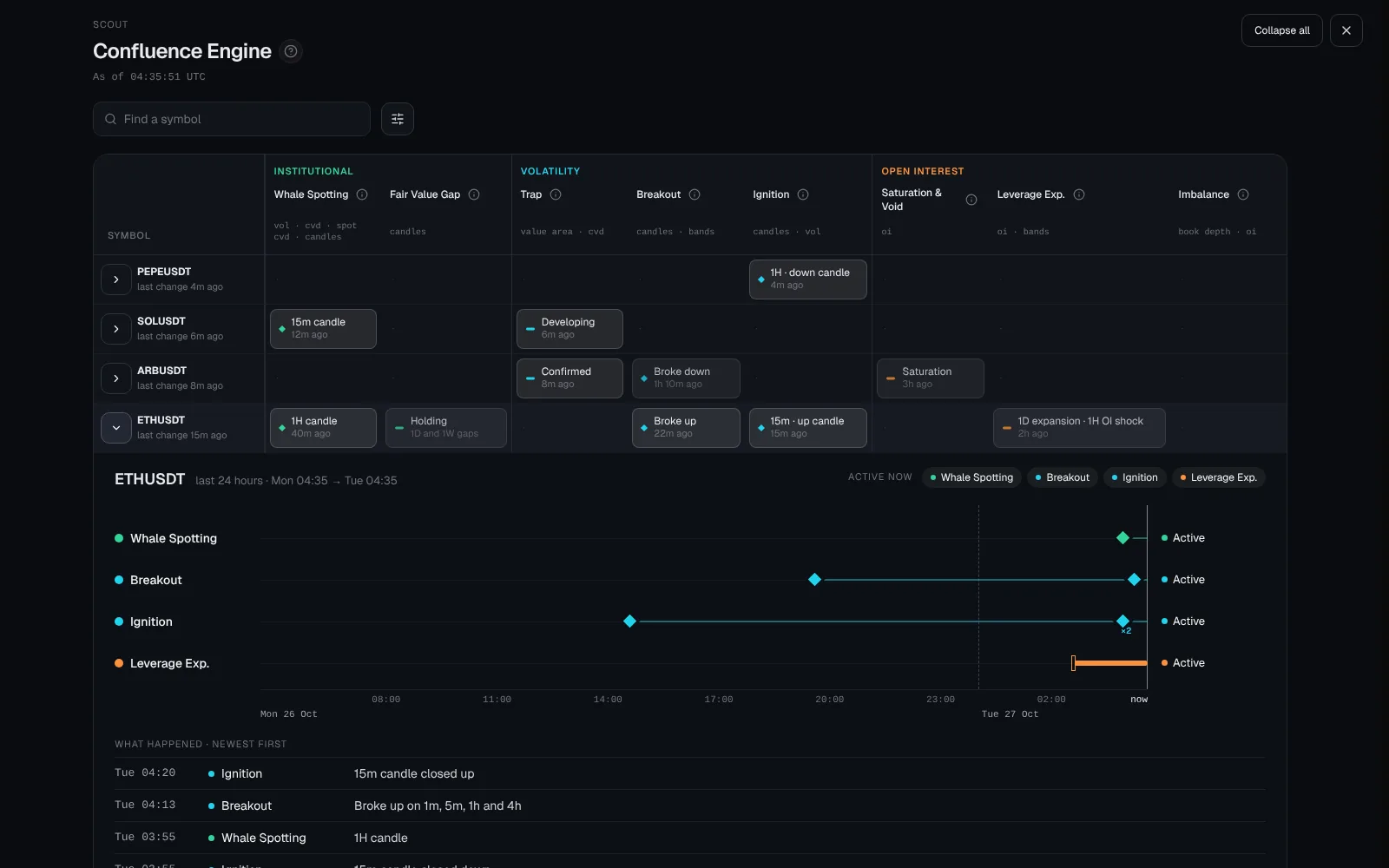
Every preset, every coin, one grid.
Each cell is one preset on one coin, brighter when it is more recent. Rows are not totalled into a score.
02 · The timeline
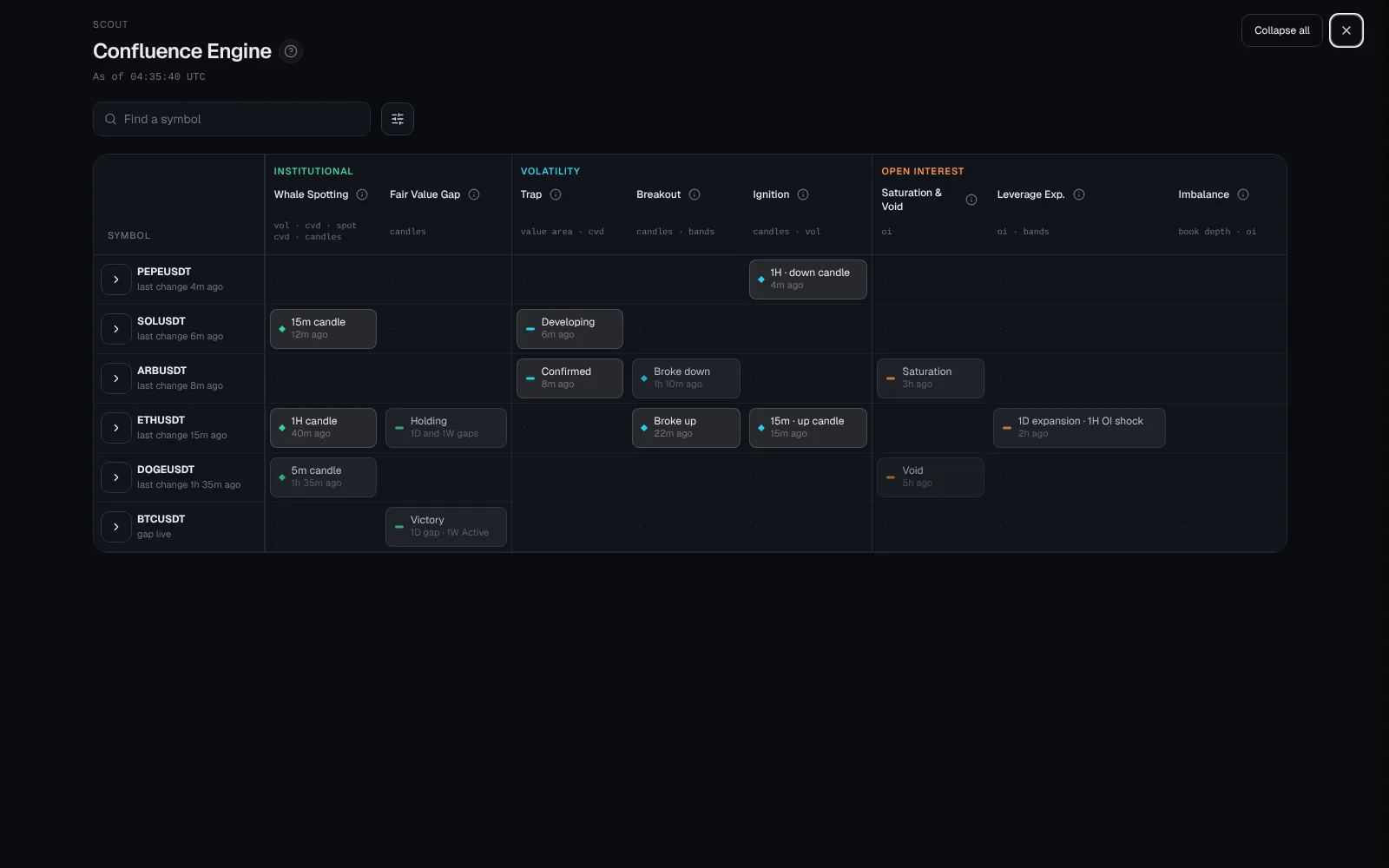
Open a coin to see its last 24 hours.
Every preset becomes a strand across the day, so you see what fired first and what followed.
The full briefing
Confluence Engine: Which Crypto Signals Line Up
Confluence Engine shows which of WarRoom’s scanners are active on each coin, in one table, and draws the last 24 hours of each coin as a timeline. You can see which signals fired, which came first and which have already ended. It shows timing, not a score: it does not claim that signals agreeing makes a trade more likely to work.
Why WarRoom shows confluence without a score
Many tools add up signals into a single confluence score. The problem is that two signals built from the same data are not two pieces of evidence. If both read the same CVD, they will often fire together, and a score would count that twice.
Confluence Engine shows you the timing and the inputs instead, and leaves the weighing to you. WarRoom is researching whether any combination of its presets adds an edge; until there is a published result, the engine makes no such claim.
The table
Open Confluence Engine from the right edge of the terminal. Each row is a coin and each column is a Scout preset. Columns are grouped by family, and each column header lists the inputs that preset reads.
| Family | Preset | Reads |
|---|---|---|
| Institutional | Whale Spotting | Volume, CVD, spot CVD, candles |
| Institutional | Fair Value Gap | Candles |
| Volatility | Trap | Value area, CVD |
| Volatility | Breakout | Candles, bands |
| Volatility | Ignition | Candles, volume |
| Open interest | Saturation & Void | Open interest |
| Open interest | Leverage Expansion | Open interest, bands |
| Open interest | Imbalance | Order book depth, open interest |
A brighter cell means a more recent change. Rows are sorted so the coins that changed most recently come first, and you can search for a coin.
Filters
The Filters button narrows the table. Must include shows only coins where every preset you pick is live. Minimum confluences shows only coins with at least 2 to 5 presets live. Hide presets removes the presets you do not use, from the table and from the 24-hour timeline. Your Scout filters always apply as well, so the table matches the Scout.
Minimum confluences is a filter, not a score. Presets that read the same data each count, so a coin with four presets live does not have stronger evidence than a coin with two.
The 24-hour timeline
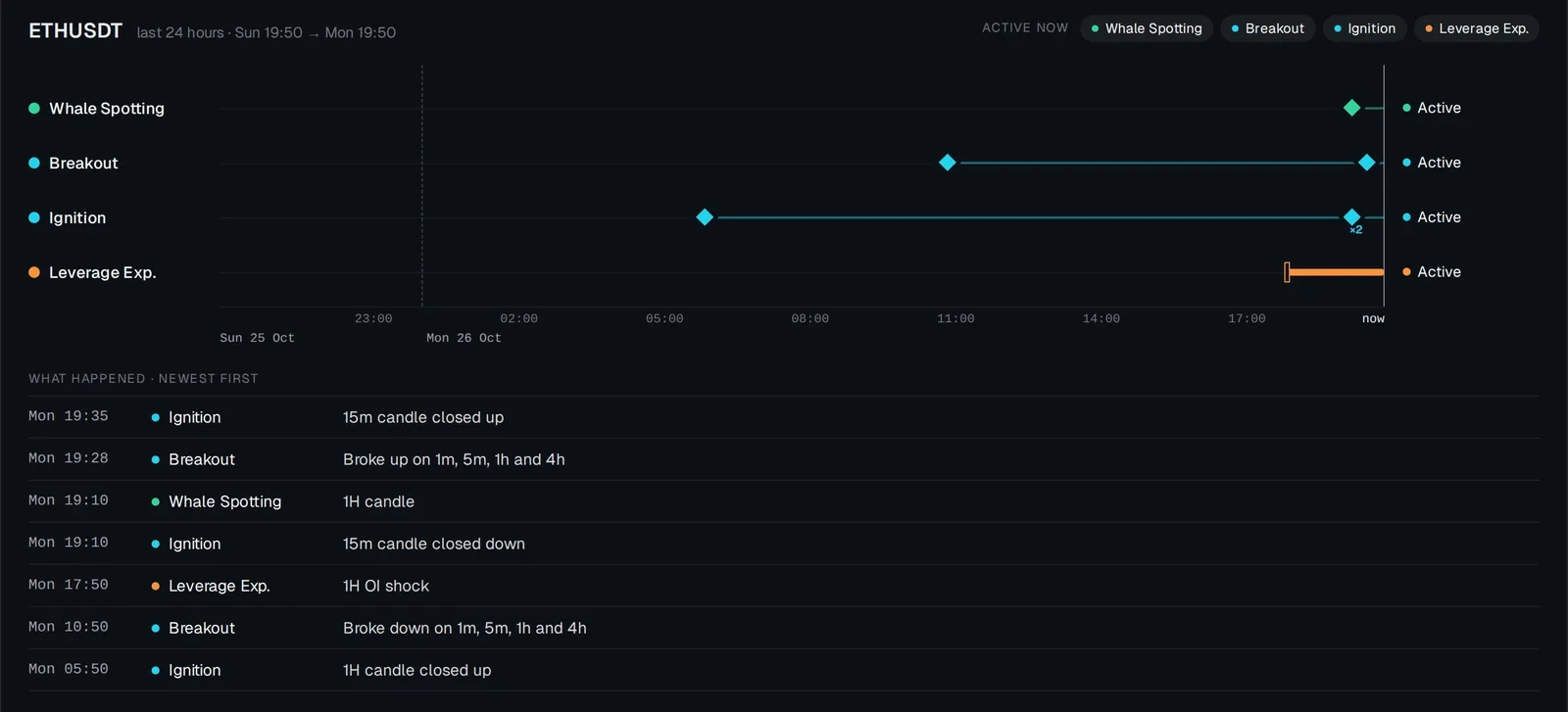
Open a row and the coin’s last 24 hours appear as a timeline with one straight line per preset. Presets that stay active for a while are drawn as solid bars from start to end. Fair value gaps are drawn hollow. One-off events, such as Whale Spotting and Ignition, are diamonds; hover or tap one to see what fired. A preset that ended has an end mark, and the status at the right of each line says whether it is still active. A dated list under the timeline gives every change, newest first.
This answers questions a table cannot: did open interest start building before the trap, or after? Did the breakout come before the ignition?
Where the data comes from
The table reads the same live preset alerts as the Scout, with the Scout’s own publication rules and lifespans. The timeline reads WarRoom’s stored alert history for the last 24 hours. Signed-in members can open the timeline for any coin; without an account it is available for BTC, ETH and SOL.
Frequently asked questions
What is a confluence scanner in crypto?
A confluence scanner shows where several signals are active on the same coin at the same time. WarRoom’s Confluence Engine shows each Scout preset per coin and a 24-hour timeline of when each started and ended, so you can see whether signals lined up and in what order.
Does Confluence Engine give a score?
No. It shows timing and shared inputs only. You can filter for coins with a minimum number of presets live, but that is a filter, not a score: WarRoom has not published evidence that any combination of its presets predicts price, so the engine does not rank or score coins.
How is it different from the Scout?
The Scout shows one preset at a time, with that preset’s own table and research record. Confluence Engine shows all presets side by side for each coin, plus the history of the last 24 hours.
Is it free?
Confluence Engine is included in the one WarRoom membership, $29 a month with a 7-day free trial. Until subscriptions open, it is free to explore.
More of WarRoom
Every feature, one plan.
One plan with every feature: $29 a month or $290 a year, with a 7-day free trial for every new member. Subscriptions open soon; until then the terminal is free to explore and billing is not active.
Educational and decision-support software, not financial advice. All trades in Trades are simulated.