
WarRoom ChartsRead the battle inside every candle.
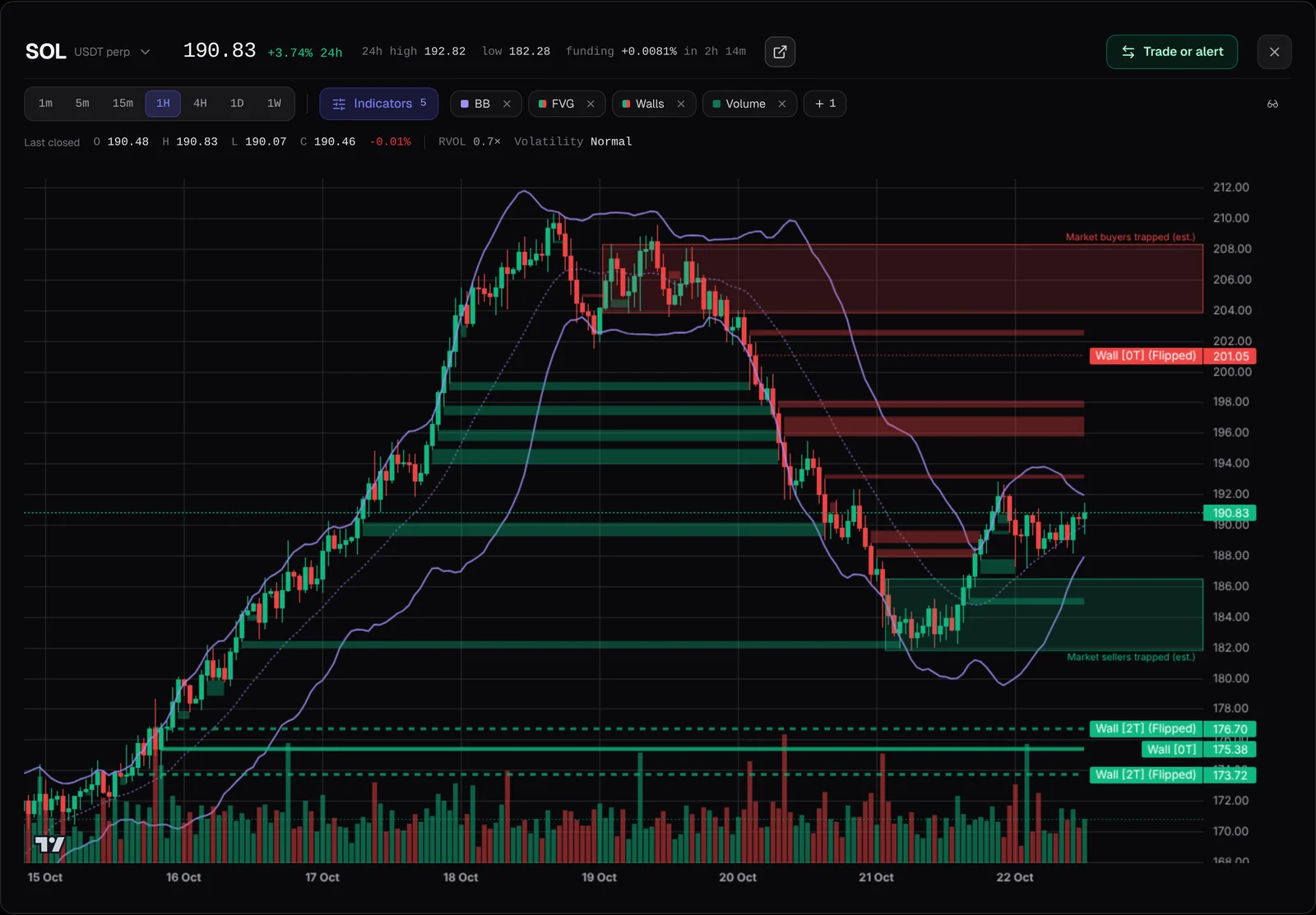
WarRoom’s charts put the order flow under the price: spot and futures buying and selling, open interest, limit walls and gaps, drawn where they happened. Pick any move and X-Ray tells you who pushed it and whether new positions opened. Then alert on it, plan it or trade it, straight from the chart.
01 · X-Ray
Pick a move. See who pushed it.
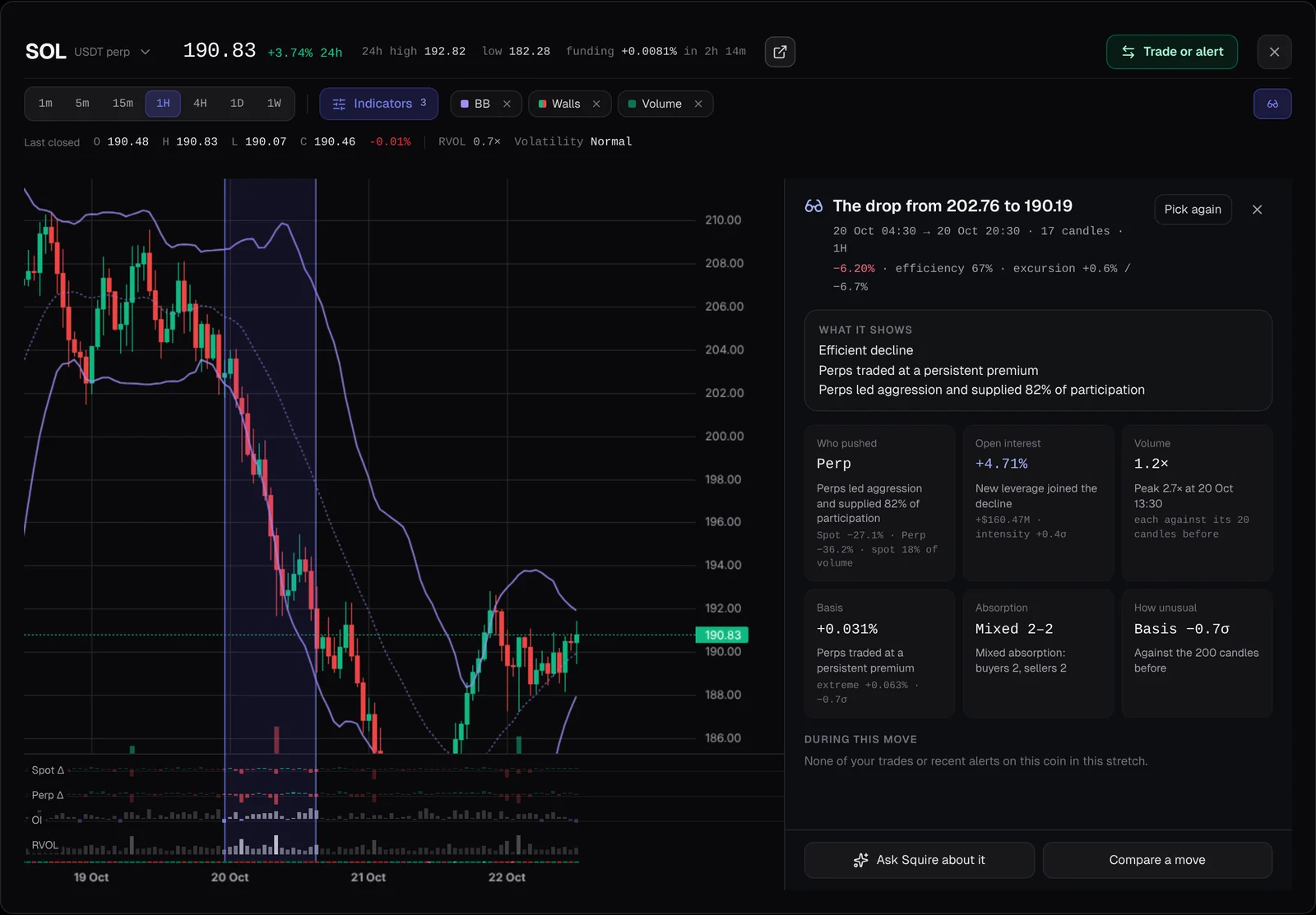
Drag across a stretch of candles, or tap one. X-Ray reads it in six cards: who pushed, open interest, volume, basis, absorption and how unusual it was, with a tape of spot and perp delta, open interest and relative volume under the candles.
- Your own trades and alerts from that stretch, listed with the read
- Ask Squire about it, or compare it with another move
02 · Alerts
An alert on anything you see.
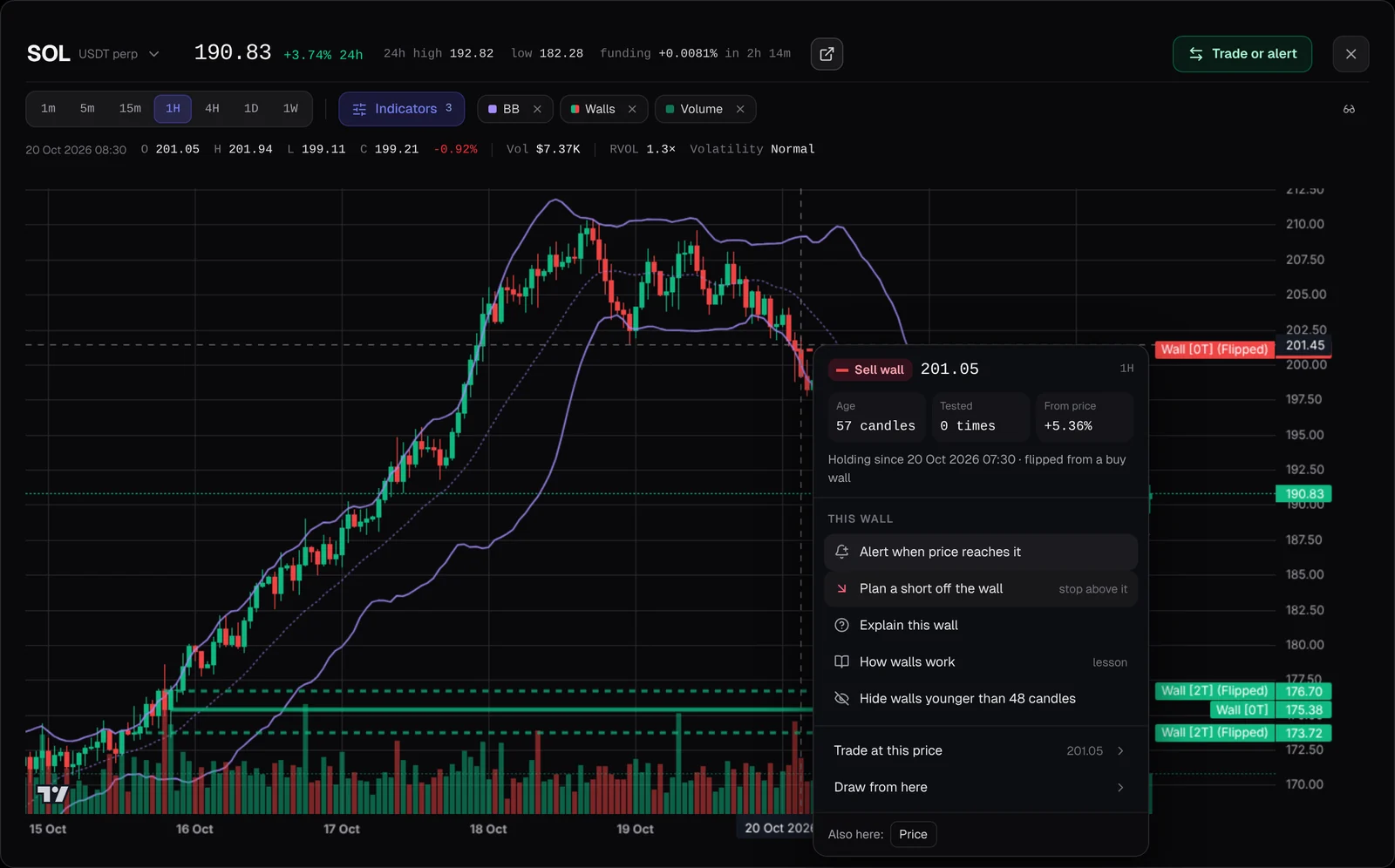
Right-click a wall, a gap, a Bollinger band, a line you drew or any price, and the alert is right there in the menu, already filled in with that level. A band can also alert you when a candle closes back across its middle. On a phone, press and hold the chart.
- Delivered in the app, as a push notification or on Telegram
03 · Explain
Click a wall to hear its story.
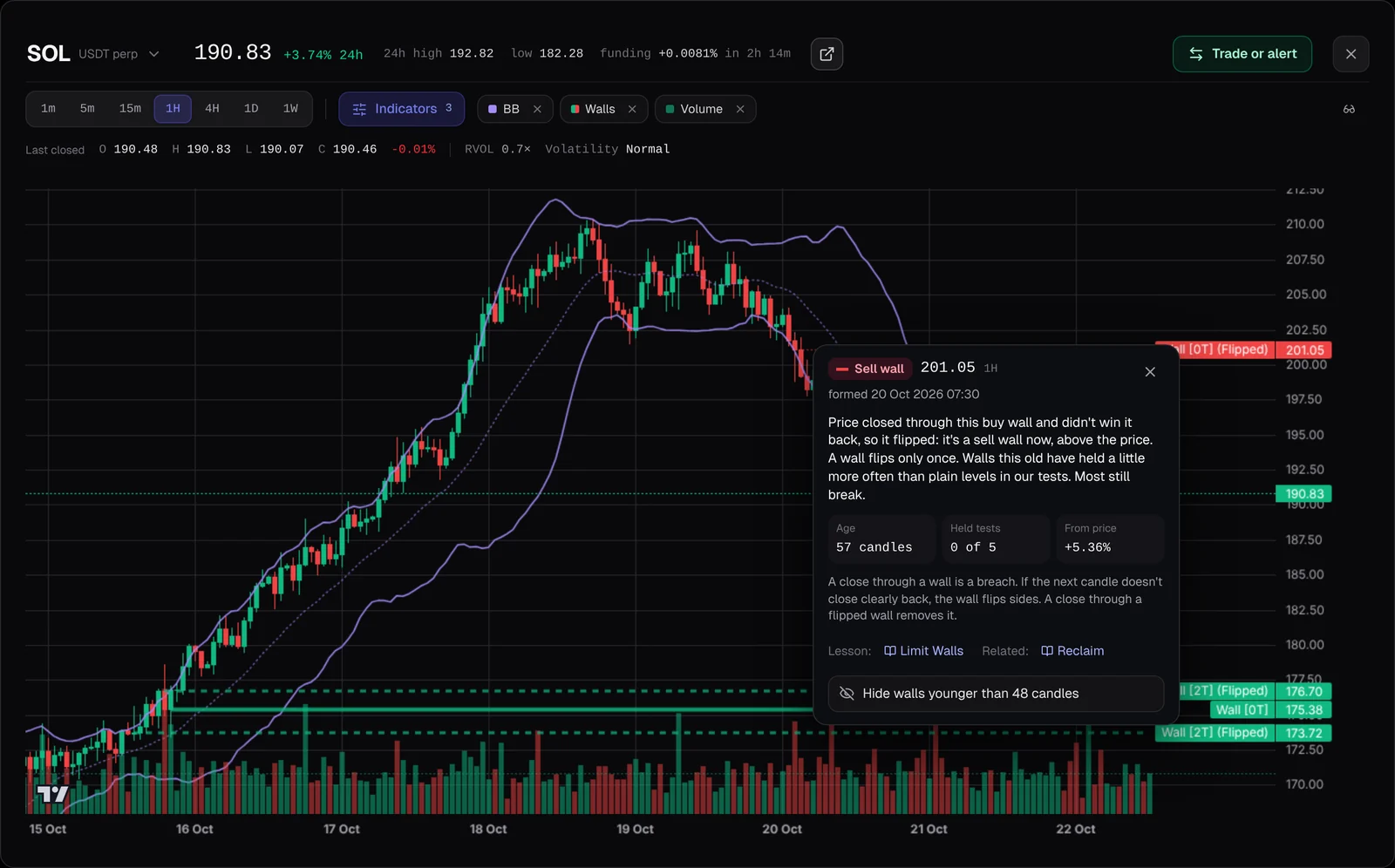
The explain card says in plain words what a wall or gap is now: how old it is, the tests it has held, how far it is from price and the rule that drew it, with the Academy lesson that teaches it. Walls are labelled by their tests, can be hidden by age, and walls that have stood 96 candles are drawn thicker.
04 · Indicators
Your instruments, set once.
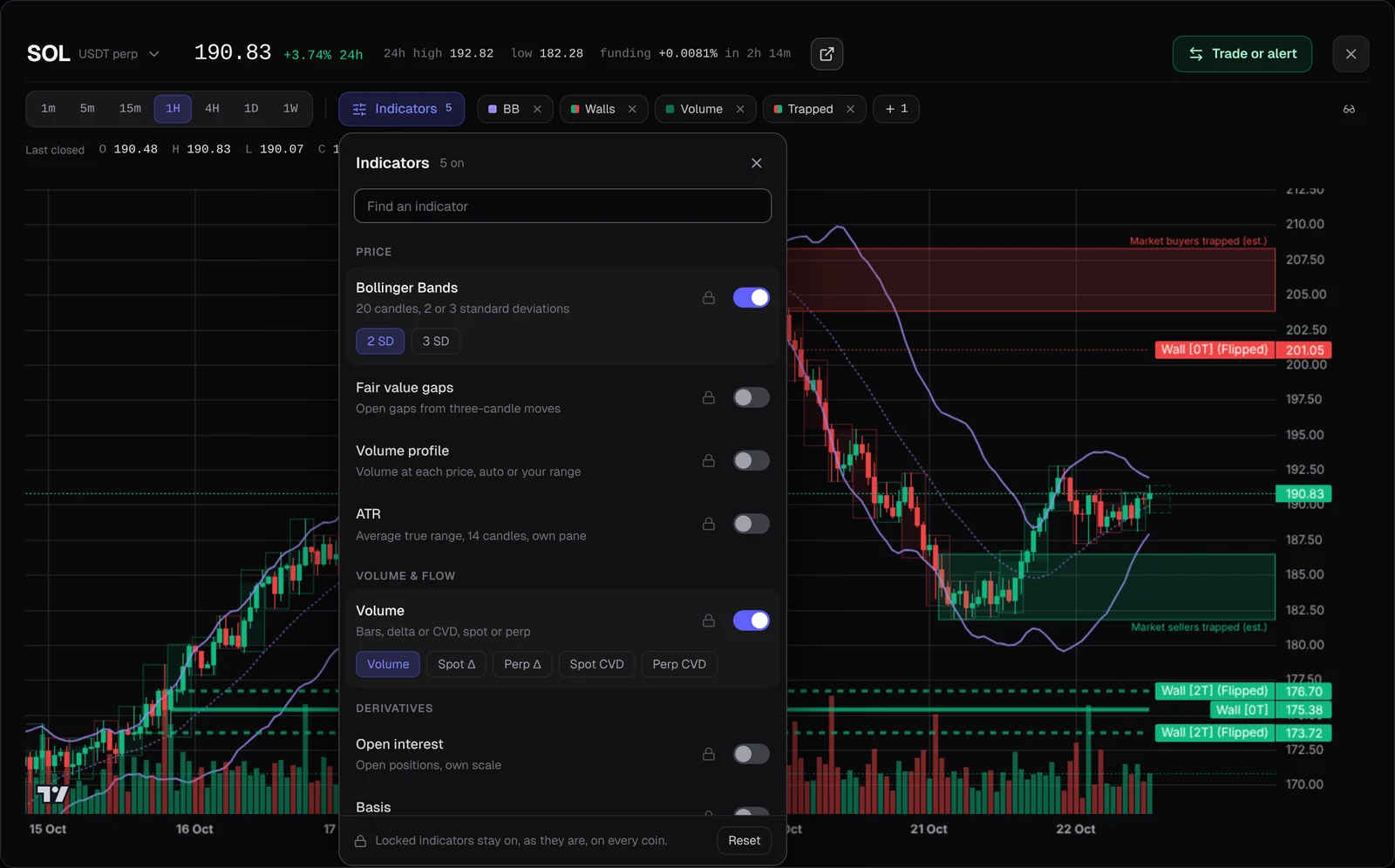
Bollinger Bands, fair value gaps, limit walls, volume profile, open interest, volume as bars, delta or CVD for spot or perp, ATR and basis, in one panel. Lock one and it stays on, as you set it, on every coin.
- Classic or WarRoom colours
05 · WarRoom studies
Studies built by WarRoom.
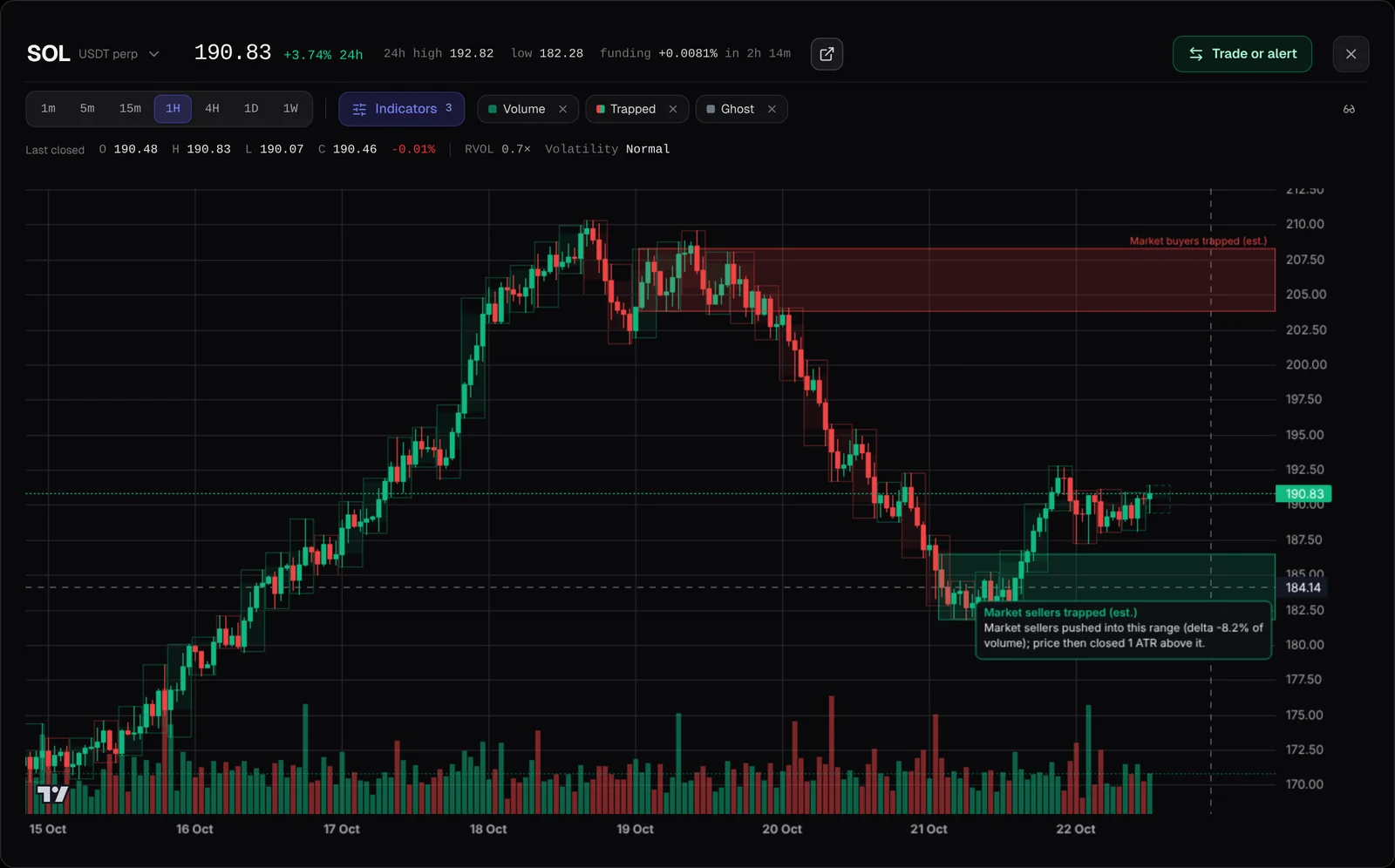
Trapped traders shades the ranges where market orders pushed in and price then broke out against them, an estimate on 1H and 4H. The higher-timeframe ghost draws a bigger timeframe’s candles faintly behind yours, with the time left on the one still forming.
- On 1H, the legend adds relative volume and a volatility read
06 · Plan
Plan the trade where you see it.
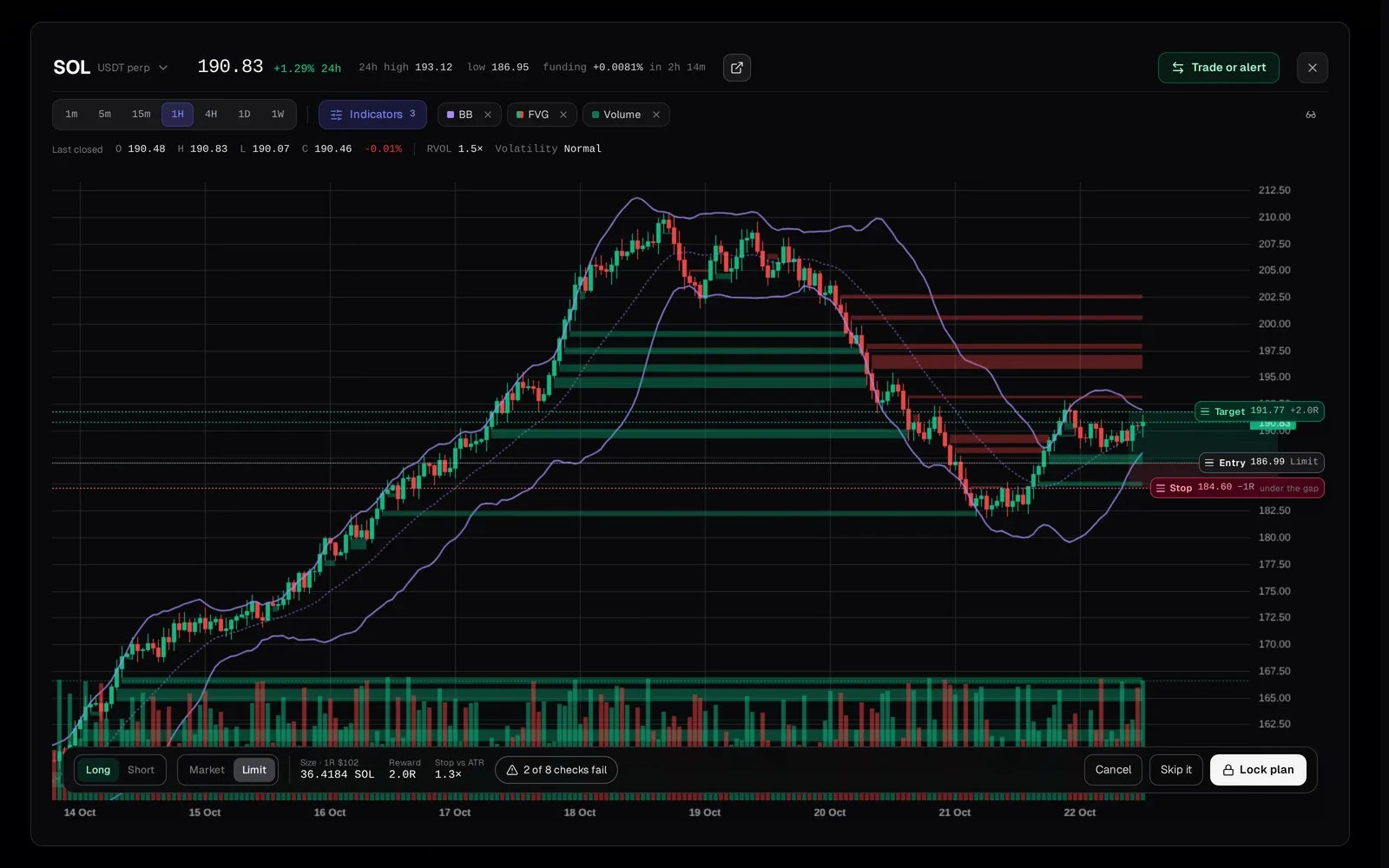
Plan long here draws the trade on the chart. Drag the stop and target; the stop starts at the nearest wall, gap or swing beyond your entry. The strip shows the size at your 1R, the reward in R and the checks, and Lock plan stamps the time before you enter.
07 · Phone
The whole chart in your hand.
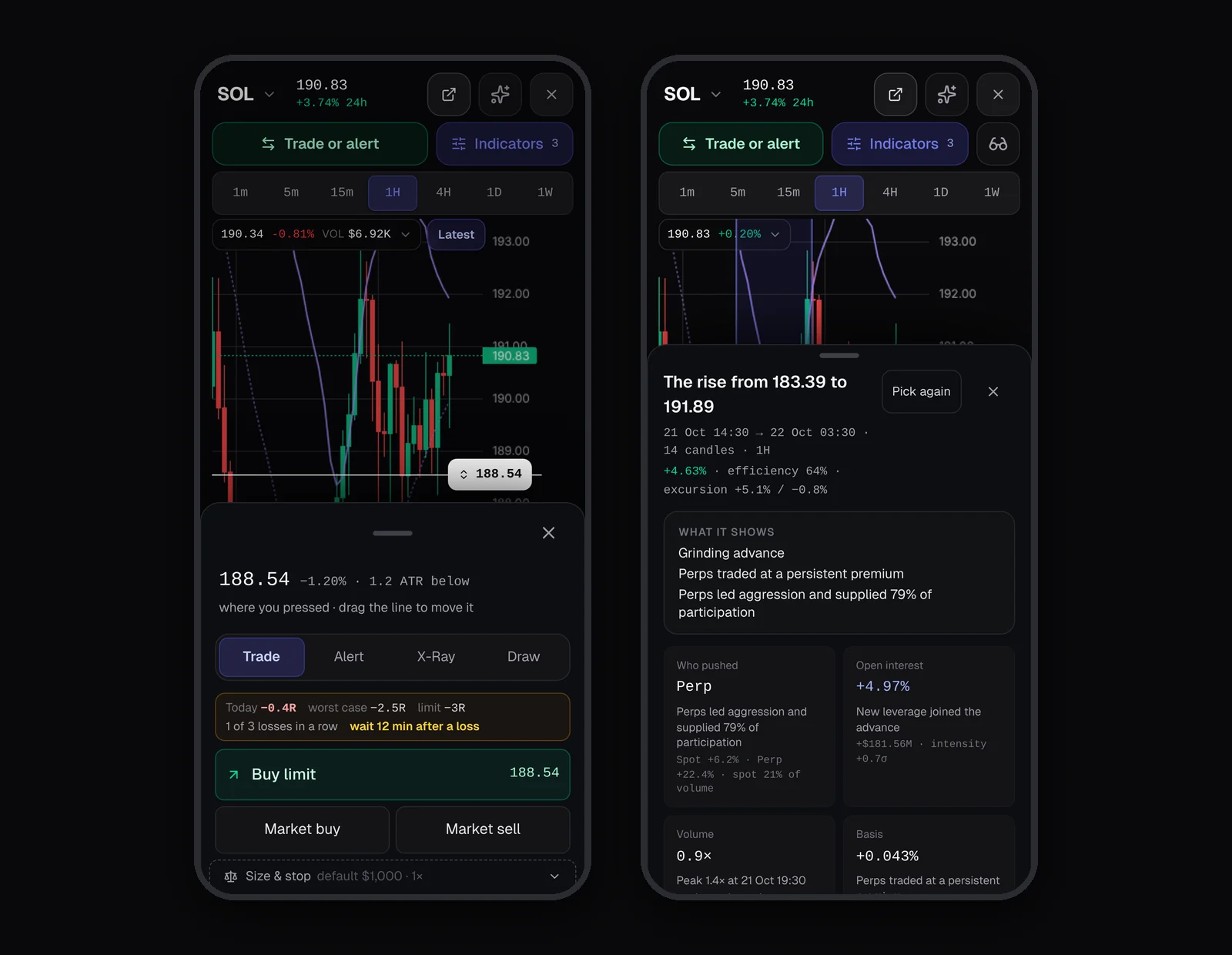
Press and hold the chart for the same actions as a sheet: trade, alert, X-Ray and draw, with a price line you drag into place. X-Ray reads open as a sheet, and the legend opens with a tap.
- Works on a phone
The full briefing
WarRoom Charts: Crypto Order-Flow Charts With X-Ray
Every coin in WarRoom opens on the same chart. Under the candles it draws who was buying and who was selling, on the futures market and on spot, with open interest, limit walls, fair value gaps and Bollinger Bands where they happened. Pick any stretch of candles and X-Ray reads the move: who pushed it, whether positions opened or closed, and how unusual it was. Right-click anything on the chart to set an alert, plan a paper trade or have a level explained.
What the chart draws
Indicators live in one panel, in groups, each with its options under it. Lock one and it stays on, as you set it, on every coin.
| Indicator | What it shows |
|---|---|
| Volume | Bars, or delta and CVD (market buys minus market sells), for the futures market or for spot |
| Open interest | The positions still open, on its own scale |
| Limit walls | Prices where heavy market orders were soaked up, labelled by how often they have held. Hide walls younger than 12, 24, 48 or 96 candles |
| Fair value gaps | Open gaps left by fast three-candle moves, until price fills them |
| Bollinger Bands | 20 candles, 2 or 3 standard deviations |
| Volume profile | Volume at each price, for the candles on screen or a range you drag |
| ATR | Average true range over 14 candles, in its own pane |
| Basis | The futures price minus spot, in its own pane |
| Trapped traders | Tight ranges where market orders pushed one way and price then broke out the other way. An estimate, on 1H and 4H |
| Higher-timeframe ghost | A bigger timeframe’s candles drawn faintly behind yours, with the time left on the one still forming |
The header and the legend
Seven timeframes sit in one row, from 1m to 1W. The header shows the price, the 24-hour change, high and low, and funding with the time to the next payment. The legend reads the candle under your cursor, or the last closed one: open, high, low, close, volume and the indicators that are on. On 1H it adds relative volume (the candle’s volume against the 20 before it) and a volatility read: calm, normal or wild.
Charts come in Classic or WarRoom colours, set once in Settings.
X-Ray: who pushed this move?
Press X-Ray and drag across a stretch of candles, or tap one candle. The read names the move, such as “The drop from 202.76 to 190.19”, with its size and how cleanly it travelled, then lays it out in six cards:
- Who pushed: whether spot, the futures market or both led the buying or selling
- Open interest: whether positions opened or closed during the move
- Volume: against the 20 candles before, with its peak
- Basis: the futures premium over spot, and how it changed
- Absorption: which side’s heavy orders were soaked up without moving price
- How unusual: open interest and basis against the coin’s own recent history
Around the read
A tape under the candles shows spot delta, perp delta, the change in open interest and relative volume for every candle. Your own paper trades and alerts from that stretch are listed with the read. Ask Squire about it, or compare it with another move side by side.
X-Ray describes the move you picked. It never says what comes next.
Alerts and actions from any level
Anything you can see on the chart can carry an alert. Right-click a wall, a gap, a Bollinger band, a line you drew or any price, and the alert opens already filled in with that level; a band also offers an alert for a candle closing back above or below it. On a phone, press and hold the chart, or tap Trade or alert.
The same menu starts with what you clicked. On a wall it shows the age, how often it has been tested and how far it is from price, then a plan off it, an explanation and its Academy lesson. On a price it offers a buy or sell limit, market orders, X-Ray, Measure and five drawing tools: level, line, ray, vertical and box.
Explain opens a card in plain words: what the wall or gap is now, its age, the tests it has held, how far it is from price, the rule that drew it, and the lesson that teaches it.
Trade and plan on the chart
Every trade is a paper trade, recorded in Trades. Place a limit or a market order from the menu, or press Plan long here and the trade is drawn on the chart with its entry, stop and target. Drag the stop and target: the stop starts at the nearest wall, gap or swing beyond your entry, at least one ATR away, and the target at 2R. The strip under the chart shows the size at your 1R, the reward in R and the plan’s checks, and Lock plan stamps the time before you enter. Planning opens as you learn its lesson in the Academy.
Measure from here reads any stretch in percent, in price, in candles and in time.
On a phone
Press and hold the chart for the same actions as a sheet, with Trade, Alert, X-Ray and Draw tabs and a price line you drag into place. X-Ray reads open as a sheet, and the legend opens with a tap.
Frequently asked questions
Which markets and timeframes do the charts cover?
Binance USDT-margined perpetual futures, 700+ markets, each beside its matching spot market where one exists, on 1m, 5m, 15m, 1H, 4H, 1D and 1W.
Does X-Ray tell me where price goes next?
No. X-Ray describes the move you picked: who pushed it, whether positions opened or closed, and how unusual it was against the coin’s own history. It never says what comes next.
Can I trade from the chart?
Yes, on paper. Limit and market orders, plans, stops and targets are placed on the chart and recorded in Trades. Every trade is simulated; nothing is sent to an exchange.
Can I set alerts from the chart?
Yes. Right-click any price, wall, gap, Bollinger band or drawing to set an alert, including a candle closing back across the middle band. Alerts arrive in the app, as a browser push notification or on Telegram.
What are trapped traders?
An estimate from candles and taker volume, on 1H and 4H: a tight range where market orders pushed one way, after which price closed at least one ATR beyond it the other way. The zone stays until price comes back into it or it ages out. It shows where traders were caught, not what price will do.
More of WarRoom
Every feature, one plan.
One plan with every feature: $29 a month or $290 a year, with a 7-day free trial for every new member. Subscriptions open soon; until then the terminal is free to explore and billing is not active.
Educational and decision-support software, not financial advice. All trades in Trades are simulated.