WarRoom AlertsSmart tripwires for a market that bluffs.
Lay a tripwire, then make it hold fire until confirmation lands, such as CVD buying pressure after a breakout, and stand down if a candle closes back through the level. The call reaches you in the app, as a push notification or on Telegram.
01 · Build
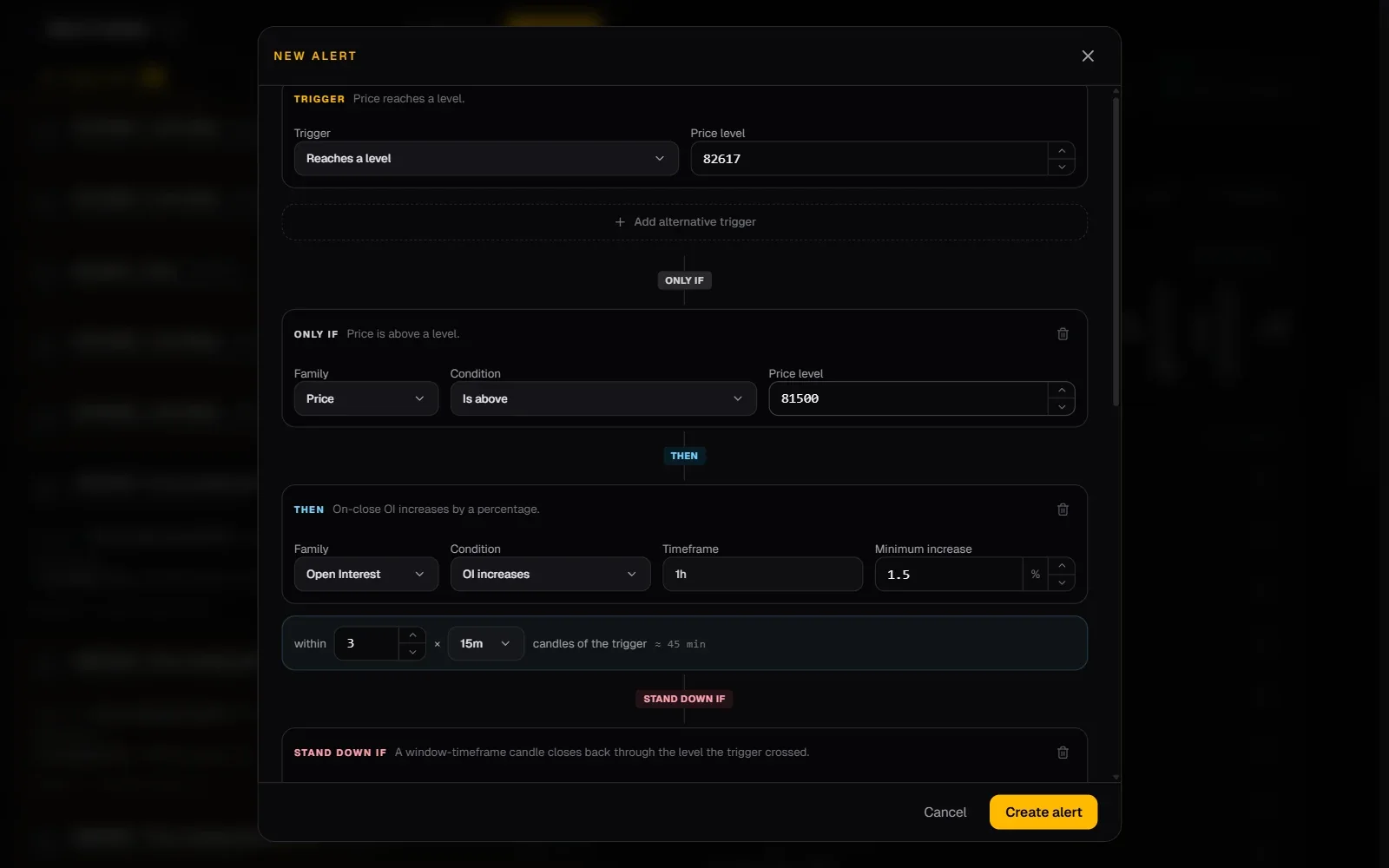
Trigger, then wait, or stand down.
Up to three alternative triggers, an optional condition that must already be true, events that must follow within your window, and events that cancel the alert while it waits.
02 · From anywhere
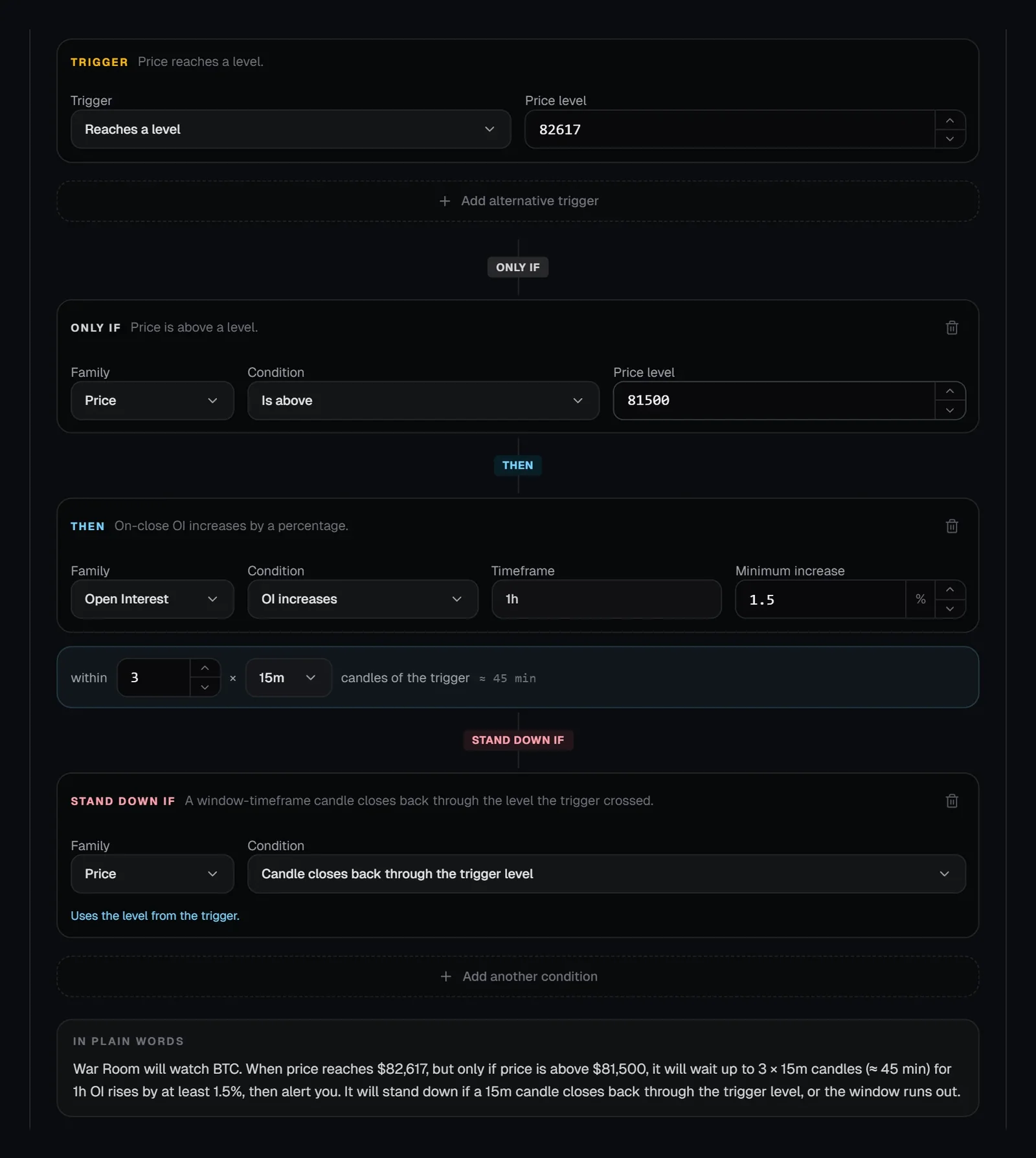
Set one from the chart or the Watchtower.
Right-click a wall, gap or band on a chart, tap the bell on a Watchtower coin, or press New alert in the Watchtower’s Alerts.
03 · Receive
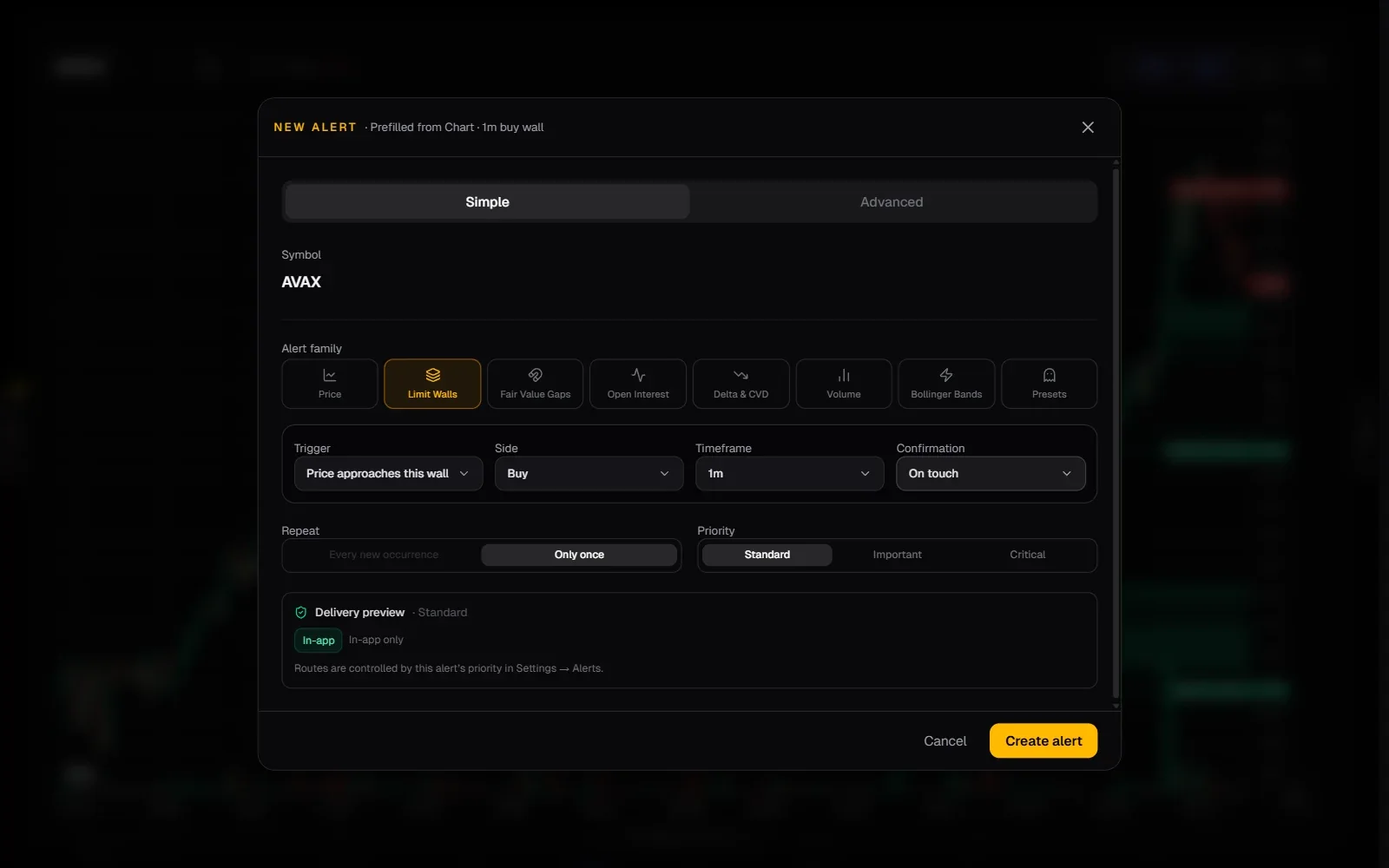
From the alert to its chart in one click.
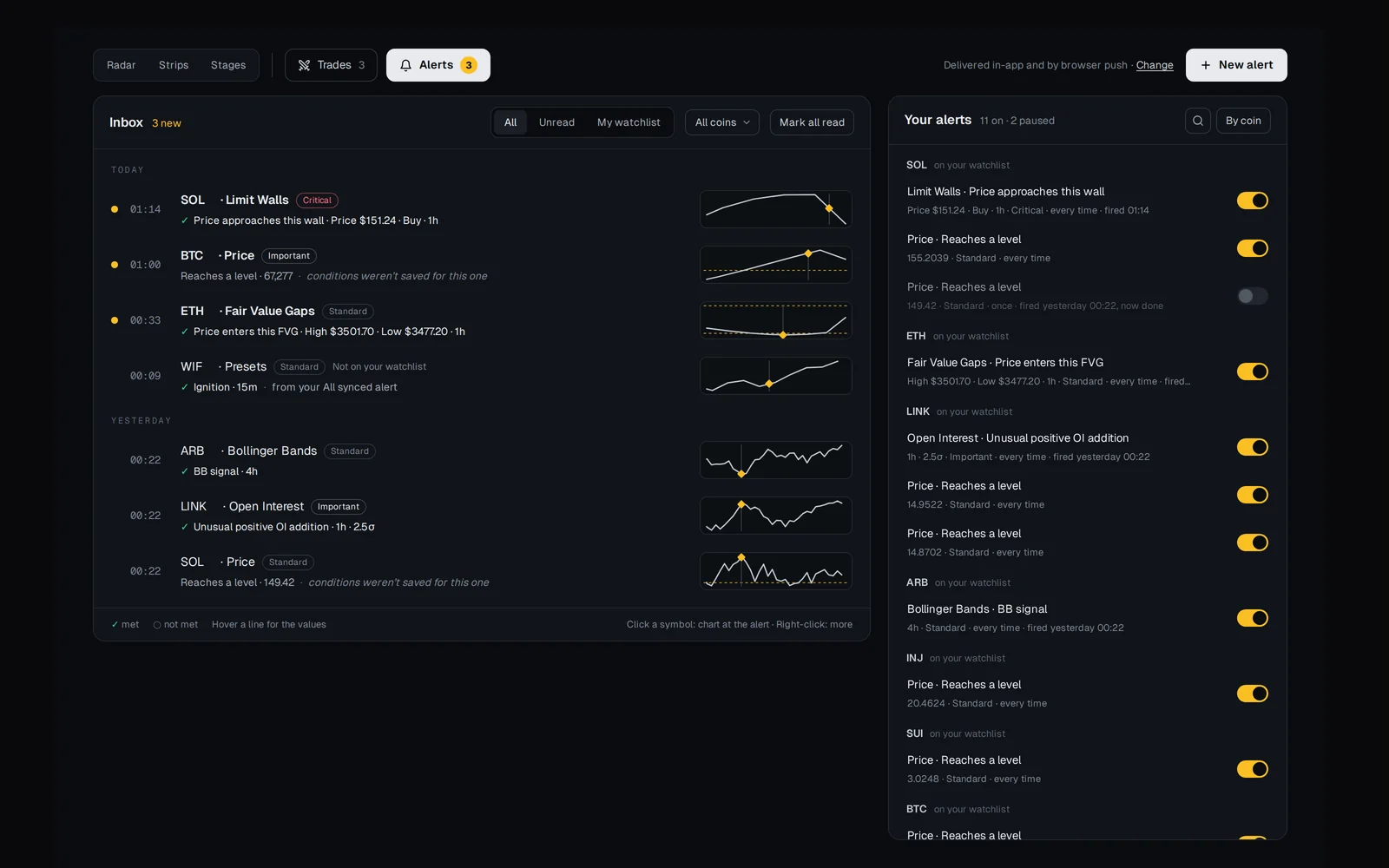
Fired alerts land in the Watchtower’s Alerts with which conditions were met and a price line from before the alert to now. Click the coin to open the chart at the candle that fired; right-click it to Watch. Push notifications and Telegram too.
- Every alert you set, with an on/off switch
The full briefing
Advanced Crypto Alerts That Wait for Confirmation
Advanced Alerts in WarRoom let you describe a setup in steps instead of a single price line. An alert has a trigger, conditions that must already be true, events that must follow within a time window, and rules that cancel it. It fires only when the whole sequence happens, and it shows the evidence it fired on.
Why one-step alerts are not enough
A price alert tells you that price touched a line. It cannot tell you whether the break held, whether order flow agreed, or whether the move failed a minute later. Most traders end up getting the alert and then doing the real checking by hand.
Advanced Alerts move that checking into the alert. You decide what has to happen, in what order and how fast, and the alert waits for it.
What you can alert on
Every alert starts from WarRoom’s alert catalogue. You can create one with New alert in the Watchtower’s Alerts, from the Watchtower’s views (the bell on a coin sets an alert at its next level, and any level in the coin panel can be given one), or by right-clicking a limit wall, fair value gap or Bollinger Band on a chart.
| Family | Examples |
|---|---|
| Price | Reaches a level, crosses above or below, enters a zone, is inside a zone |
| Limit walls | New wall detected, wall retested, price approaches a wall, wall flips |
| Fair value gaps | New gap confirmed, first touch of a fresh gap, candle closes outside a gap, gap fully filled |
| Open interest | OI increases or decreases, unusual positive OI addition |
| Delta and CVD | Aggressive buying or selling, CVD buying or selling pressure |
| Volume | Volume surge, volume drought |
| Bollinger Bands | Band signals, and a candle closing back across the middle band (a reclaim) |
| Scout presets | Whale Spotting, Fair Value Gaps, Trap, Breakout, Ignition, Saturation & Void, Leverage Expansion |
How an advanced alert is built
An advanced alert has up to four parts. Only the trigger is required.
- Trigger: what starts the alert. You can give up to three alternatives, and any one of them starts it.
- Only if: something that must already be true when the trigger happens, such as price being inside a zone.
- Then wait for: events that must happen after the trigger, inside a window of 1 to 24 candles on the 1-minute, 5-minute, 15-minute, 1-hour or 4-hour timeframe, and never longer than 24 hours. You choose whether all of them, any of them, or a set number must happen.
- Stand down if: events that cancel the alert while it is waiting. The window running out always cancels it too.
Follow-up steps can be tied to the trigger. You can require the same direction or the opposite one, or the same wall or gap that started the alert. A stand-down row can also cancel the alert when a candle closes back through the level the trigger crossed, so a breakout that fails never fires.
Before you save, the alert is summarised in plain words. Incomplete rules cannot be saved until they are fixed.
Three setups, written as alerts
| Setup | Trigger | Then wait for | Stand down if |
|---|---|---|---|
| Breakout that holds | Price crosses above the range high | CVD buying pressure within 4 fifteen-minute candles | A candle closes back through the trigger level |
| Failed breakout | Price crosses above the range high | Price crosses back below the same level within 6 fifteen-minute candles | Window runs out |
| Wall defence | Price approaches a limit wall | The same wall is retested and aggressive buying appears | The wall flips |
| Flow-backed break | Price crosses above a level | CVD buying pressure and an OI increase, both within 4 one-hour candles | Price crosses back below the level |
What you receive
When an alert fires, it lands in the Watchtower’s Alerts, grouped by day, with which of its conditions were met (hover for the values) and a small price line from before the alert to now. Click the coin or its price line to open the chart at the candle that fired, which also marks the alert read. Right-click the coin (press and hold on a phone) to Watch it. Alerts can also be delivered as browser push notifications or on Telegram. One-shot alerts switch off after they fire, duplicates are rejected, and repeated alerts on the same timeframe are throttled.
Next to the inbox, Your alerts lists every alert you have set, grouped by coin, each with an on/off switch, and a line shows where your alerts are delivered.
An alert is a notice that your conditions happened. It is not a prediction, and WarRoom has not published research showing that any particular alert combination makes money.
Frequently asked questions
Can I set a crypto alert that waits for confirmation?
Yes. In WarRoom an advanced alert can wait, after its trigger, for events such as a CVD shift, an open-interest change or a wall retest, inside a window of up to 24 candles and never more than 24 hours. It only fires if those events happen in time.
How many advanced alerts can I run?
Each account can have up to 20 active advanced alerts at a time.
Where are alerts delivered?
In the Alerts section of the WarRoom Watchtower, and optionally as browser push notifications or on Telegram.
Do advanced alerts cost extra?
No. Advanced Alerts are included in the one WarRoom membership, with no add-ons. Until subscriptions open, WarRoom is free to explore.
More of WarRoom
Every feature, one plan.
One plan with every feature: $29 a month or $290 a year, with a 7-day free trial for every new member. Subscriptions open soon; until then the terminal is free to explore and billing is not active.
Educational and decision-support software, not financial advice. All trades in Trades are simulated.